

AI Tutor Lessons
A truly interactive lesson that listens, gives personalized feedback, and curates learning for every student, like learning with a real tutor
My Role
Lead Product Designer and
UX Researcher
Collaborated With
Product Manager, Engineering Manager, ML Engineers, Learning Content Designers, Frontend and Backend Engineers, QA
Duration
5 weeks
Product Type
Zero-to-one
AI Interaction Design Voice UX

What was the goal?
Speak’s U.S. expansion hinged on a major milestone: launching three new languages in the first half of 2025. However, our legacy processes were too slow, with a single language requiring a multi-month endeavor. We needed a new approach. I set out to design a solution that would standardize our workflow and enable us to scale language production at a fraction of the previous timeline.
What made it a challenge?
The two biggest bottlenecks were course content creation and video production, both required for every course for every language we launched. We began developing an internal AI tool to speed up content generation, but video lessons (our primary teaching format) still posed a major hurdle. Producing them involved scripting, filming, and post-production, making the pipeline slow, entirely manual, and difficult to scale.
How Might We
Create a scalable, AI-driven replacement for video lessons that’s more effective at teaching?
How did we get to a solution?
Phase I : De-risk
Replacing manual video lessons with AI without losing engagement
Before innovating, we had to prove that AI-generated content could perform as well as our older videos, but without the human tutors. Our goal: achieve engagement parity while removing the manual bottlenecks.
Phase I: Video lesson replacement

Phase II : Elevate
Elevating AI lessons into real tutoring experiences
Make a truly interactive and personalized session, like learning one-on-one with a real tutor, which meant being able to ask questions and get personalized feedback on your mistakes.
Phase II: Adaptive experience

Phase I : De-risk
To match the quality of our video lessons, I standardized key parts of the experience so AI could generate lessons that met our experts’ teaching standards.
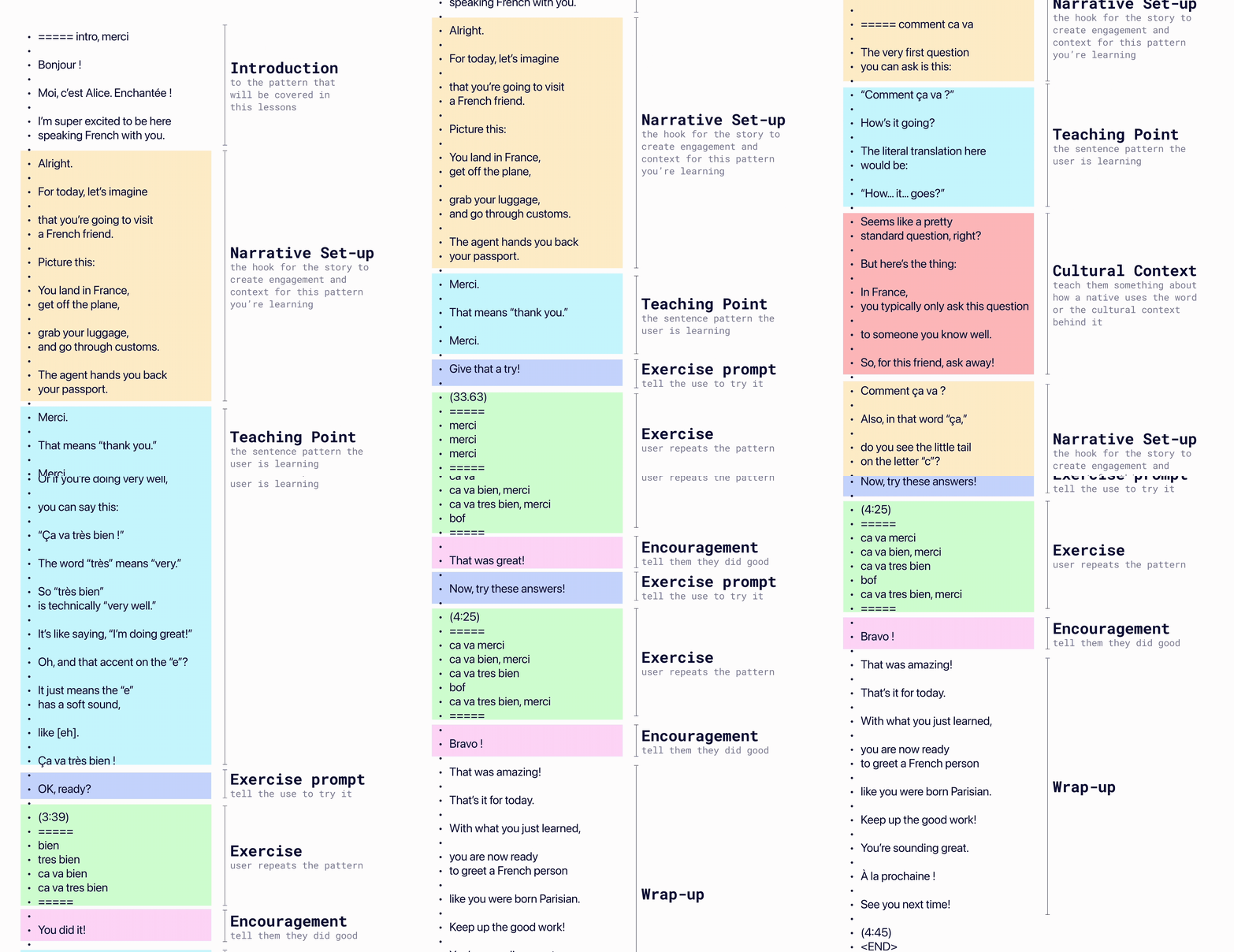
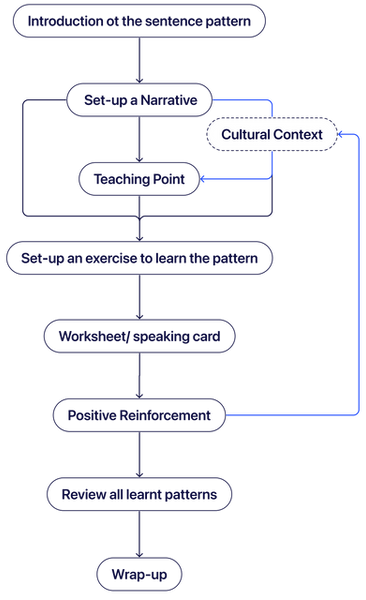
Created a standardized lesson framework so AI could generate expert-quality lessons
I audited top video lessons → extracted learning patterns → turned them into a repeatable formula for AI
Various lesson outlines into
Into
A Standard format
Replaced custom VFX with a simple, scalable visual system focused on learning
I removed decorative frills and manual visuals, then designed rule-based styling so AI could generate clear, learning-first visual aids at scale.

Old Visual Effects

New Teaching Cards

Navigated the tradeoff of removing human tutors by designing our AI tutor from scratch to carry forward connection
To address the emotional gap left by video, I led the introduction of a consistent, expressive AI tutor, in collaboration with another designer. Since learners gravitated toward specific tutor personalities, I animated this character with behaviors like celebrating wins and sleeping on pause to evoke warmth and delight. Learners reported looking forward to these moments.

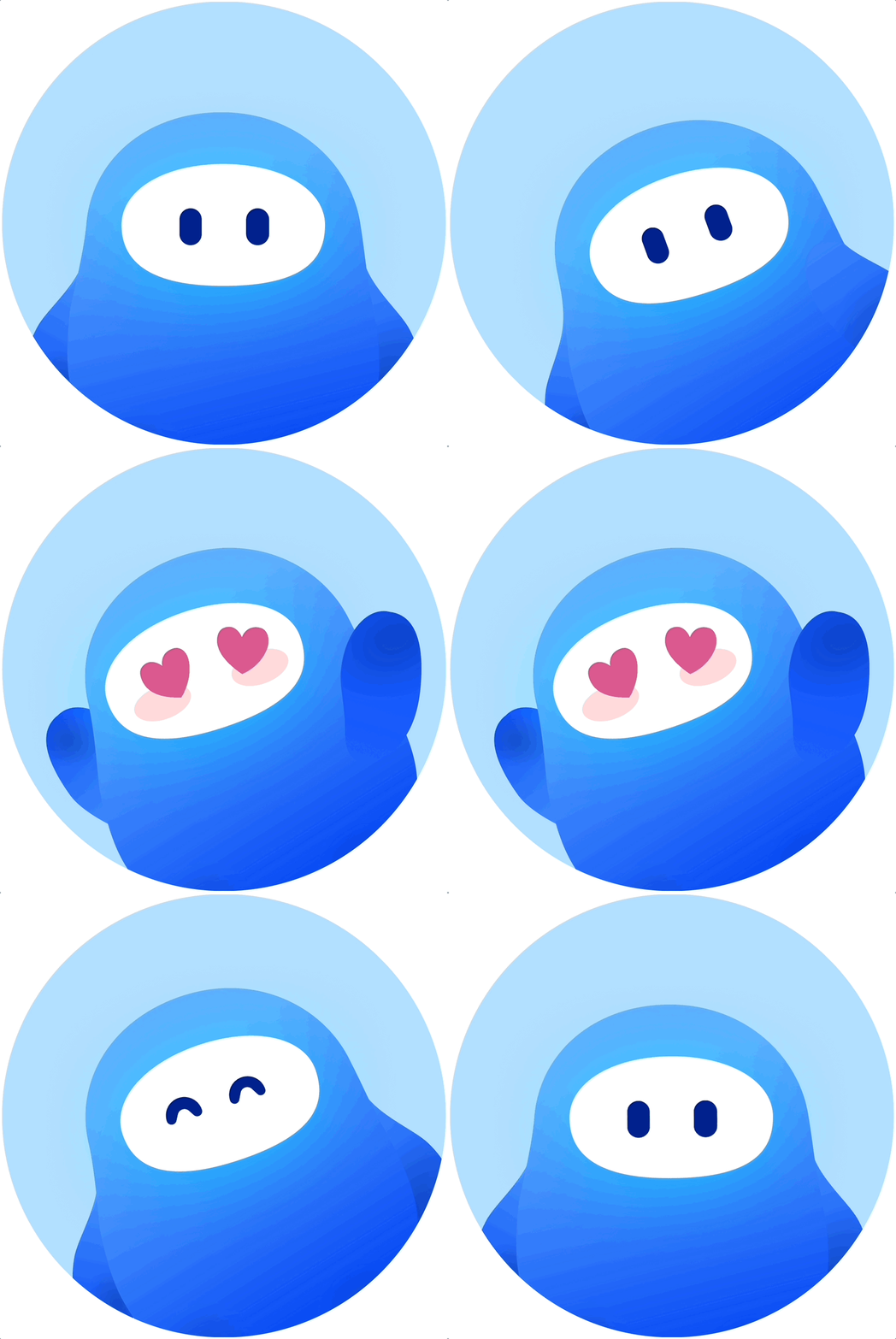
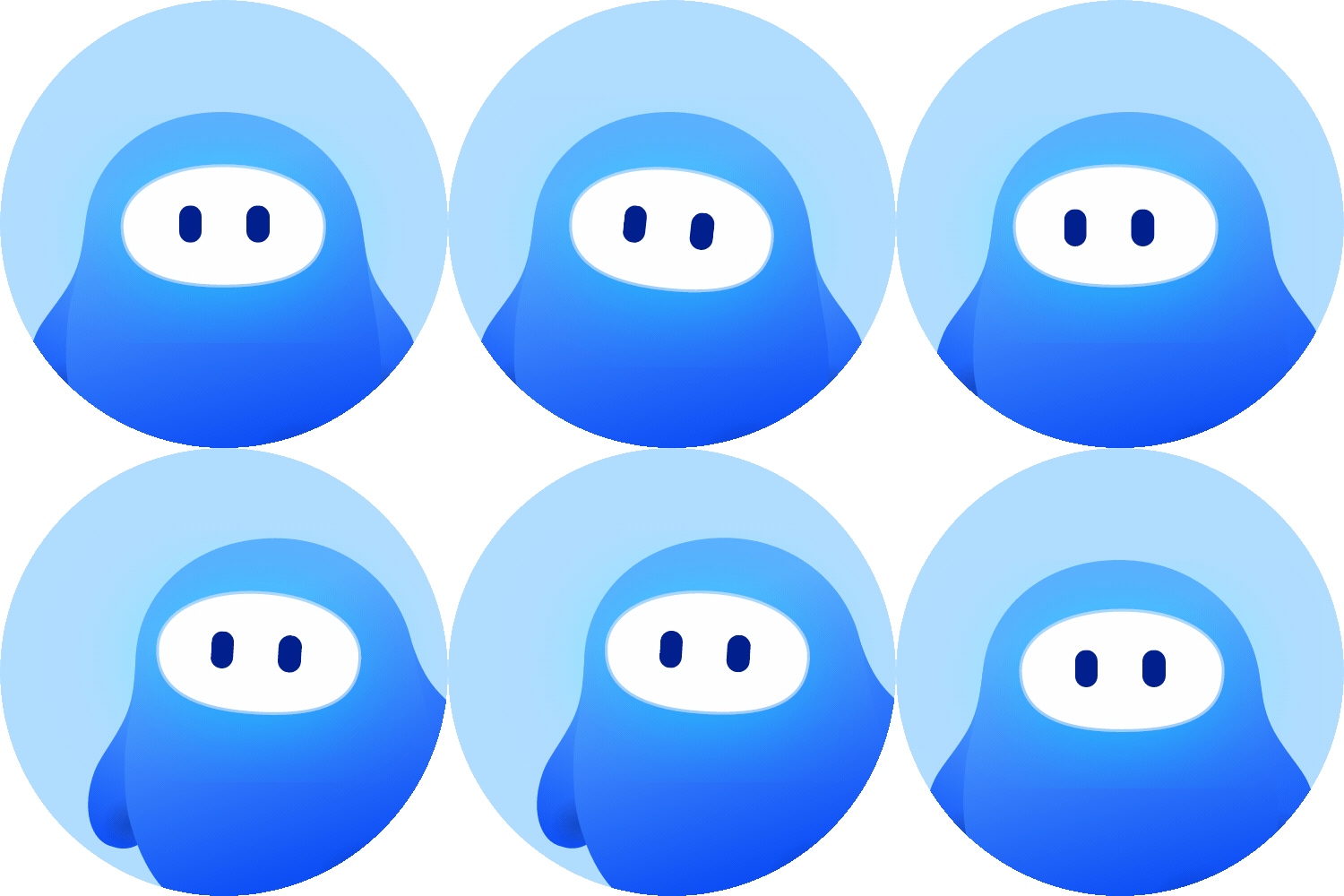
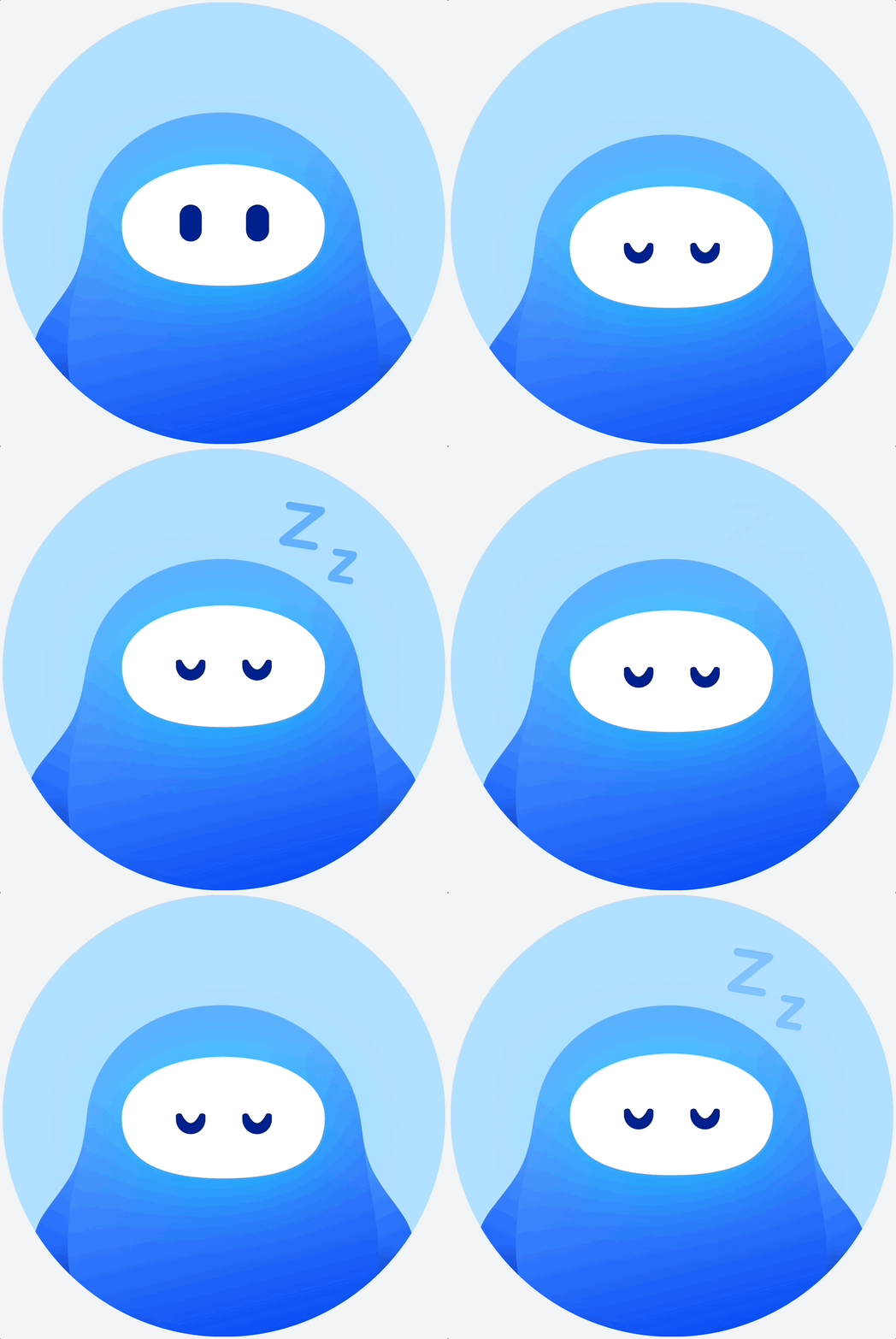
Close to 40 animations to bring the tutor to life
30 animations for conversation, 5 for moments of celebrations, 3 end-of-lesson, and 1 for when the lesson was paused. Making every moment of the lesson come to life and be full of delight
Phase II : Elevate
To recreate the feeling of studying one-on-one with a tutor, I focused on hyper-personalized learning through conversation, adaptive exercises, and targeted feedback.
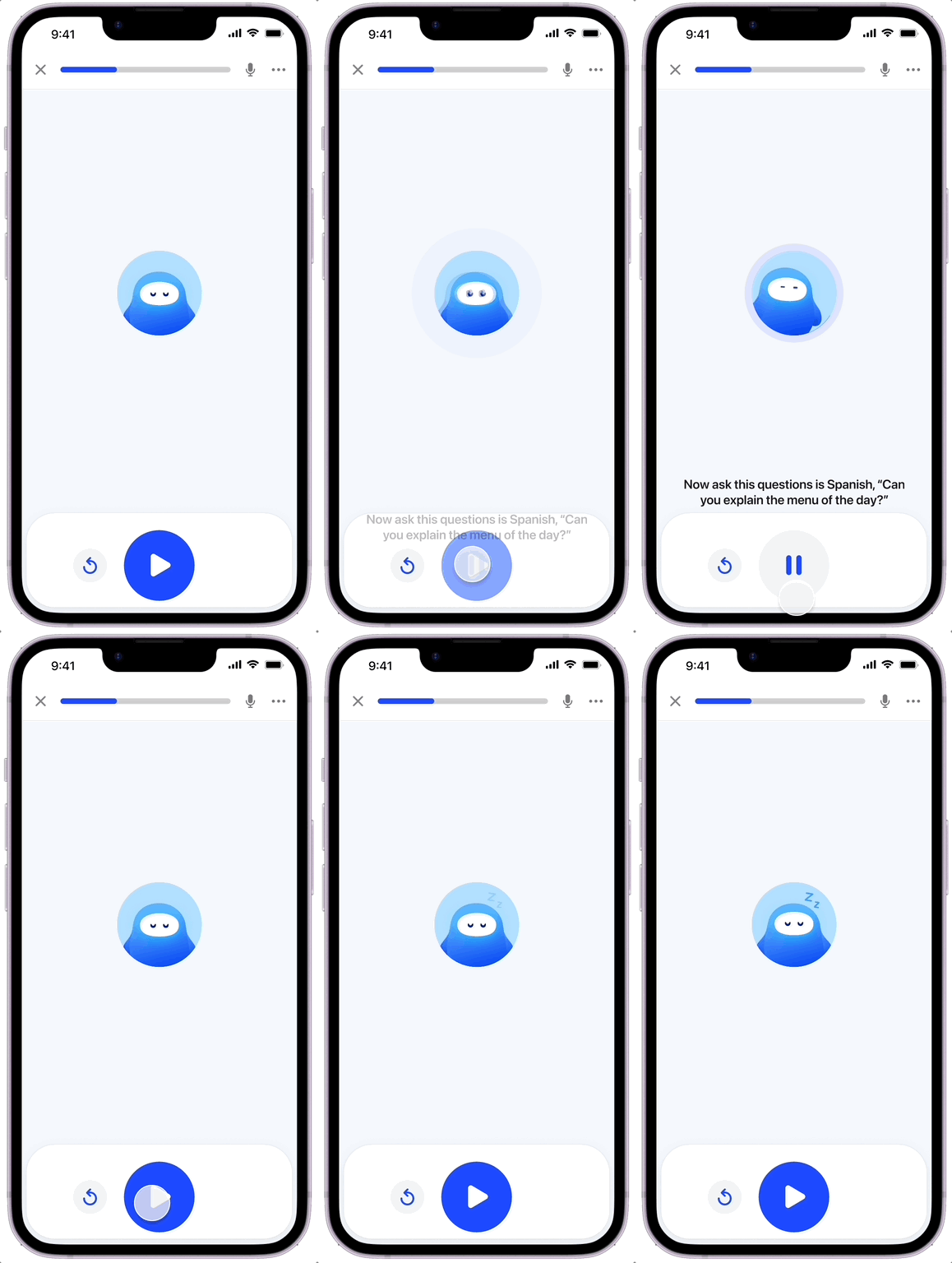
Enabled interactive dialogue so learners could personalize lessons through conversation
Unlocked the ability to talk to the tutor in a free-form manner for the first time, letting learners ask questions about grammar, phrasing, and real-life usage. This elevated lessons into personalized, one-on-one experiences driven by each learner’s needs.
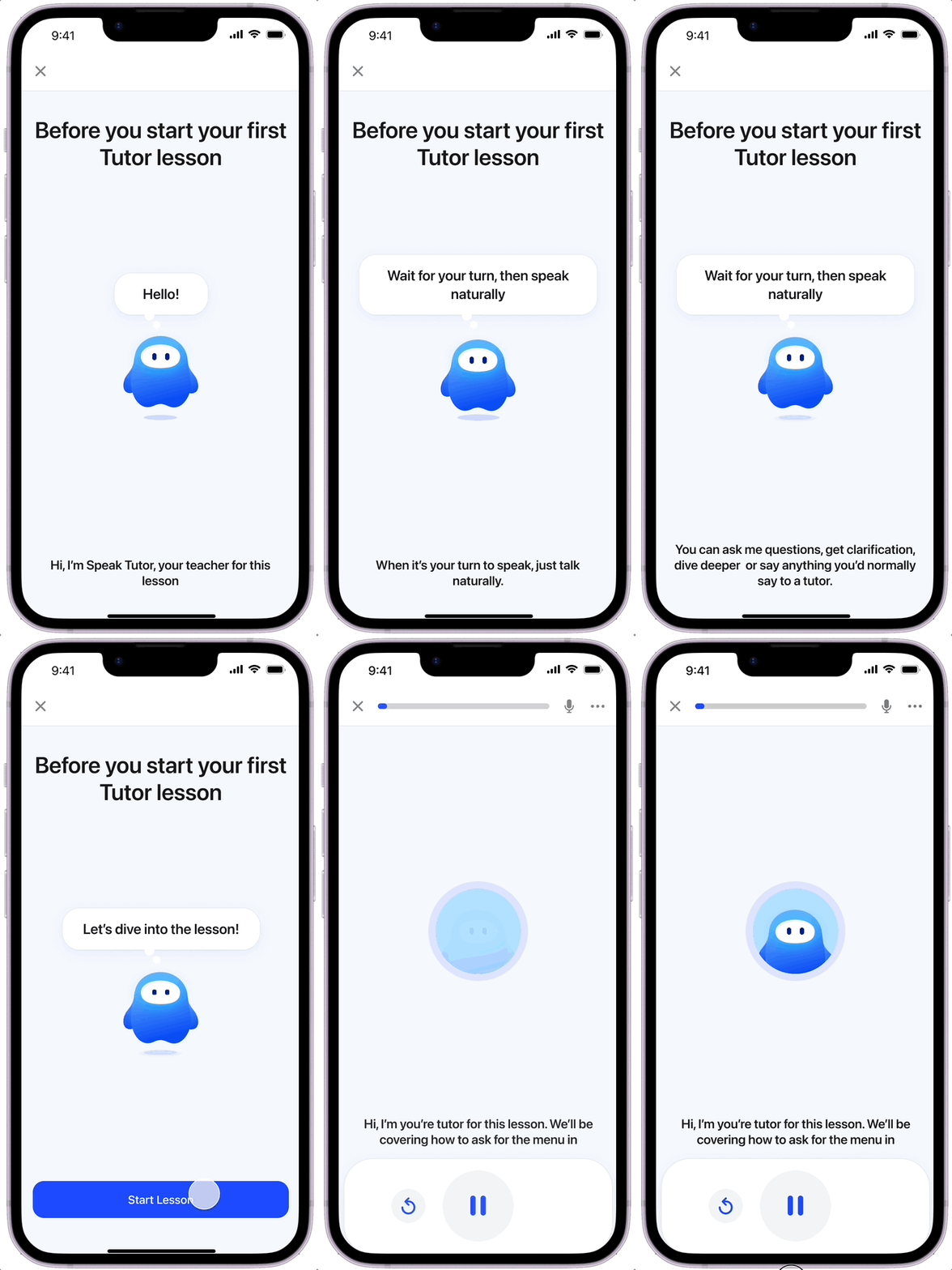
Designed clear interaction cues to teach users when and how to speak, making conversation feel natural even without full voice mode.
Introduced adaptive exercises that strengthened learning through recall and conversation
We unlocked the ability for learners to personalize their responses and engage in open-ended conversation, instead of only allowing fixed answers. This transformed scripted drills into active recall and real speaking practice.
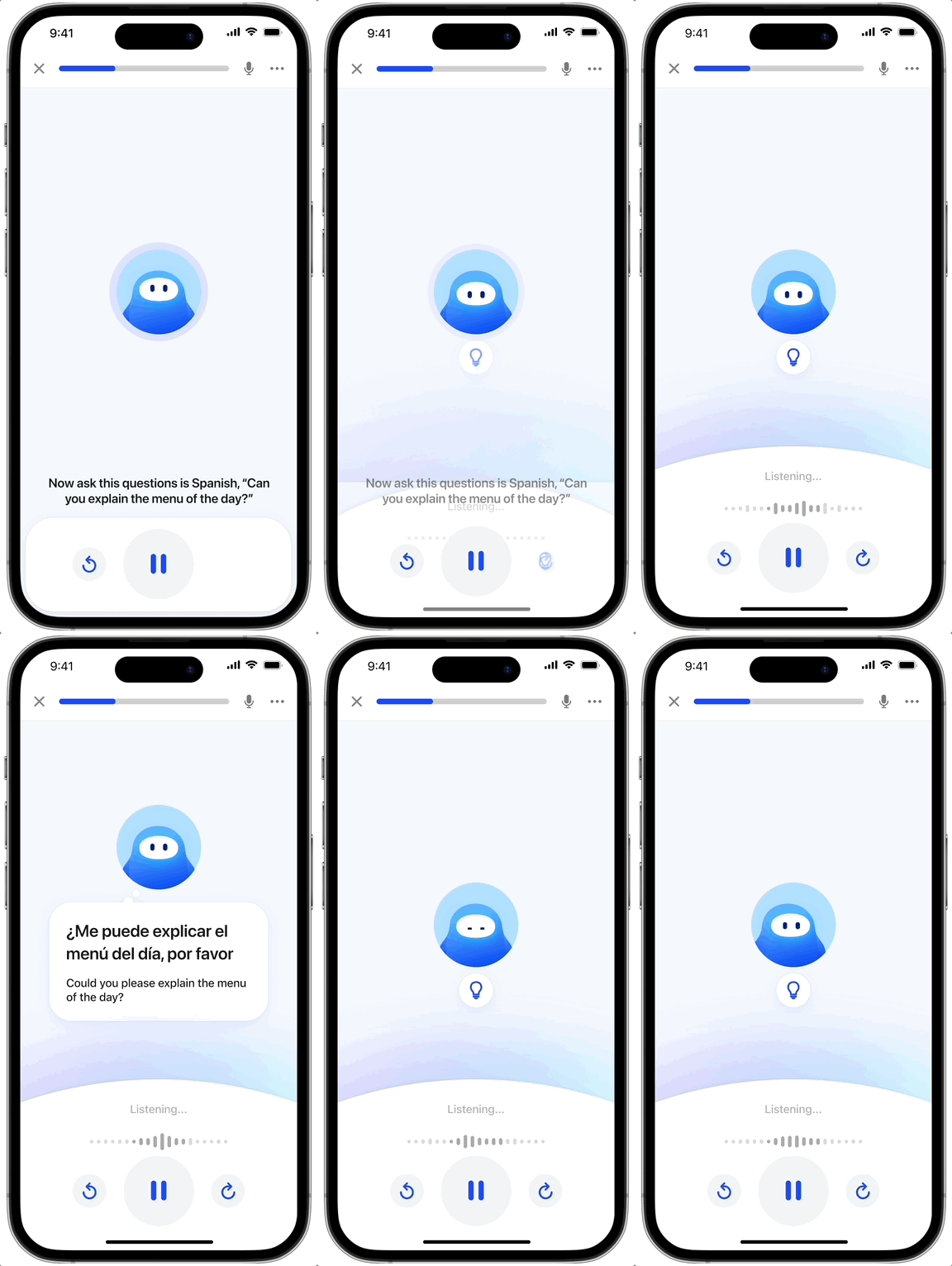
Types of Learning Exercises
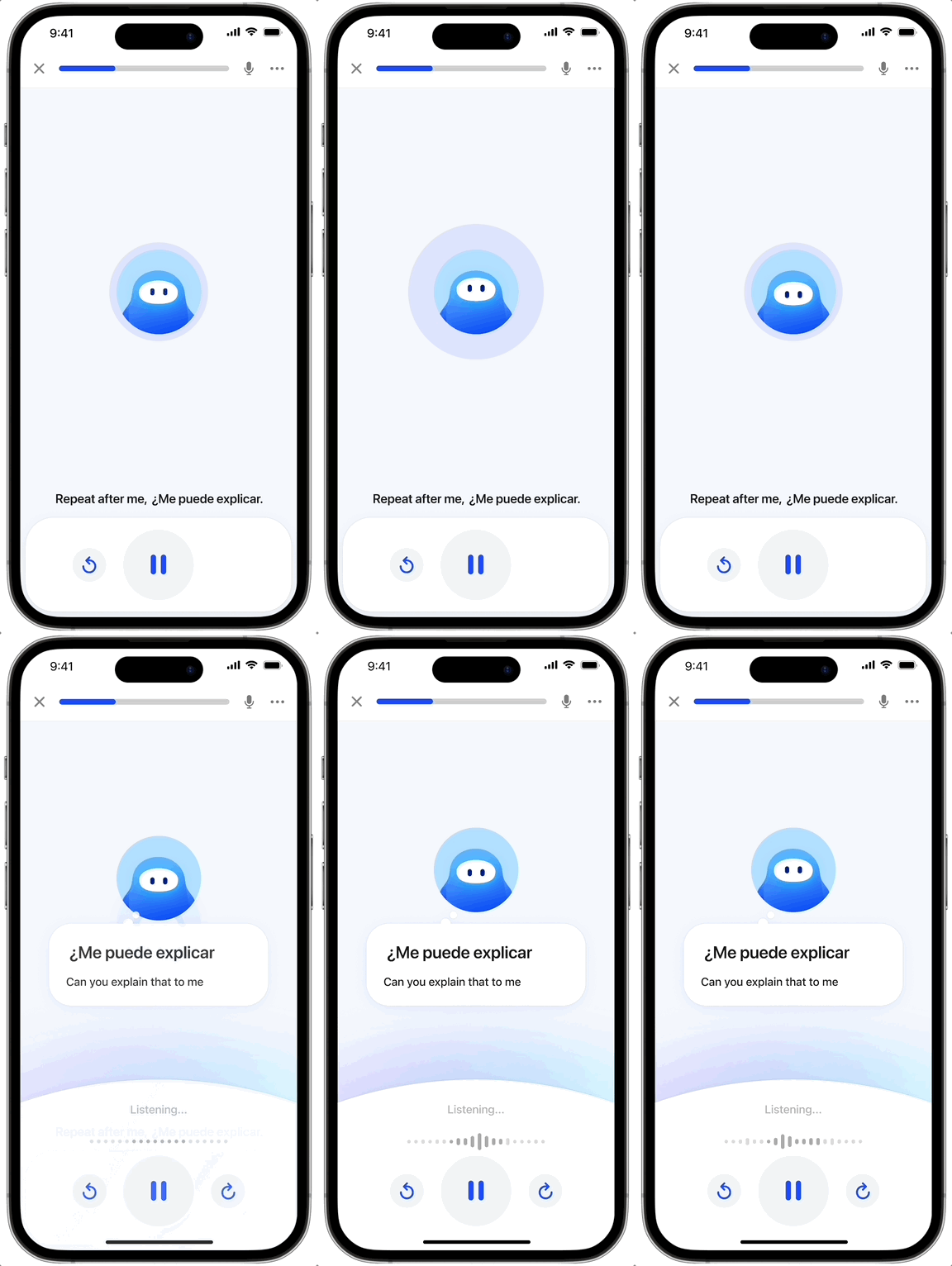
Listen & Repeat →
Learn how it sounds. Learners see and hear the phrase, then repeat it to build pronunciation and confidence with immediate feedback.
Goal: Build speaking comfort and accurate pronunciation.
Listen & Translate →
Strengthen recall. Learners hear a phrase and translate it themselves, focusing on memory instead of copying from the screen.
Goal: Improves retention by practicing active recall.
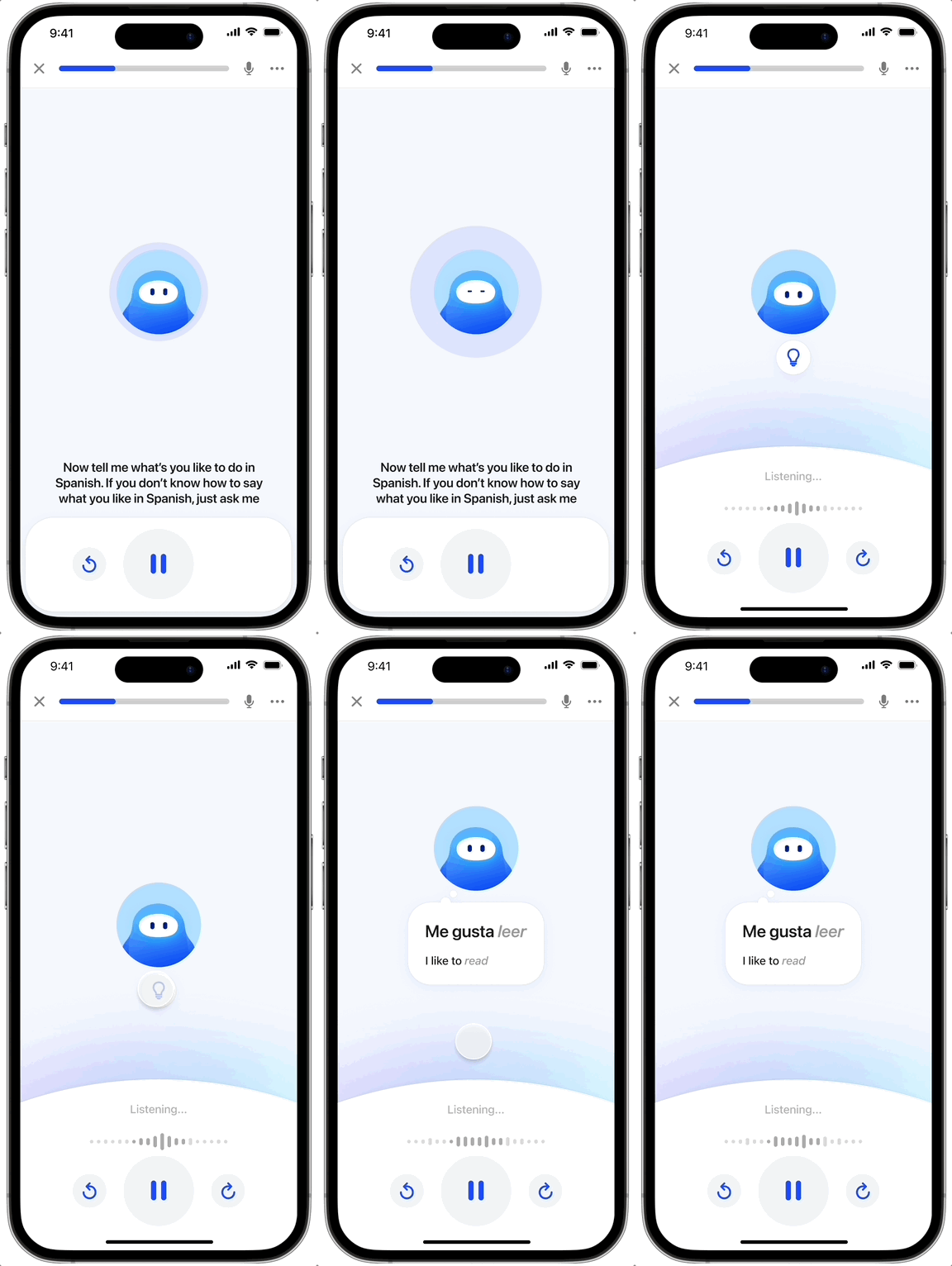
Listen & Translate →
Use it in context. Learners respond in open-ended conversation, personalizing answers with their own details like names and hobbies. Hints are available when needed.
Goal: Builds real-world speaking skills through personalized, conversational practice.
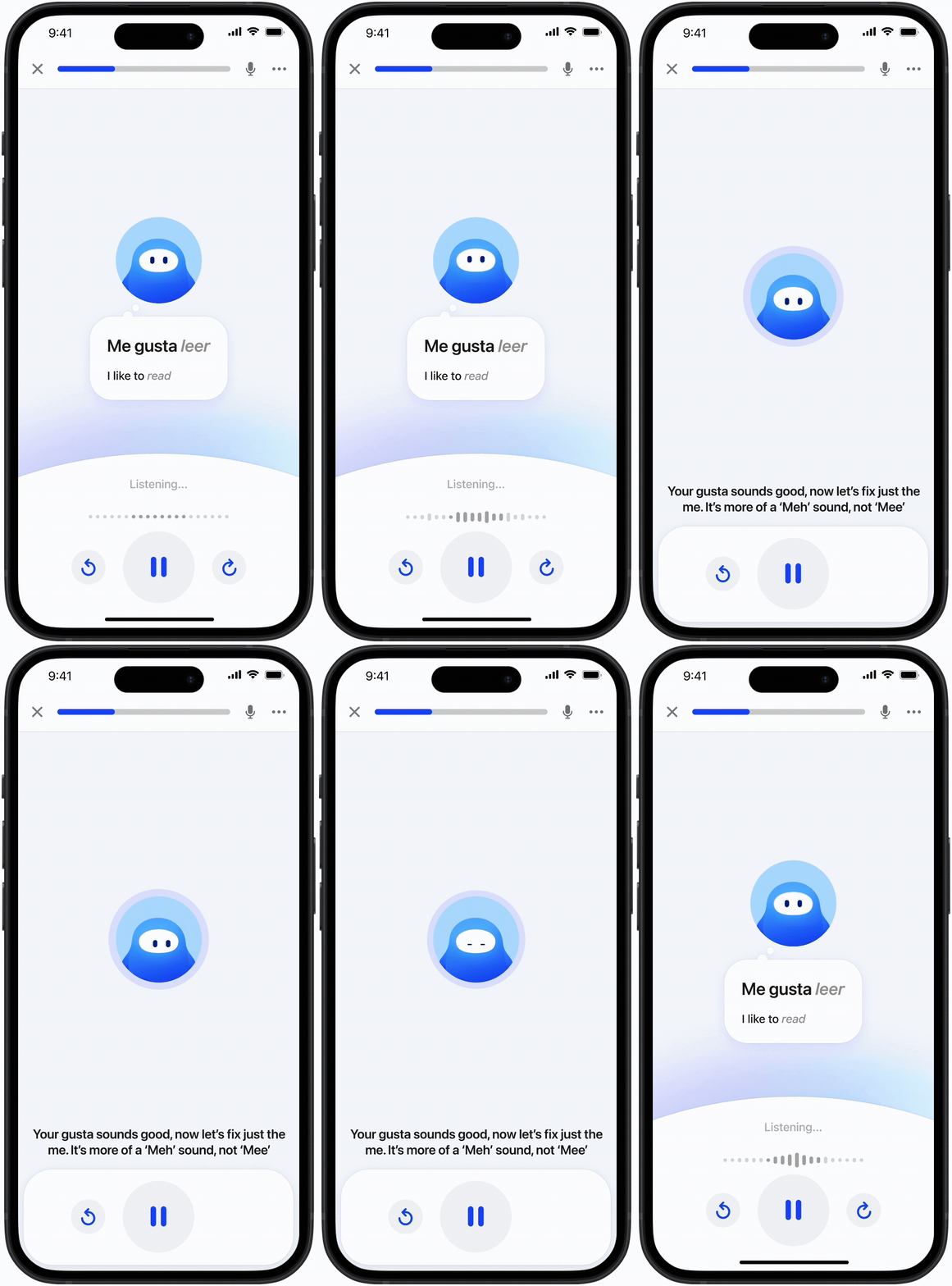
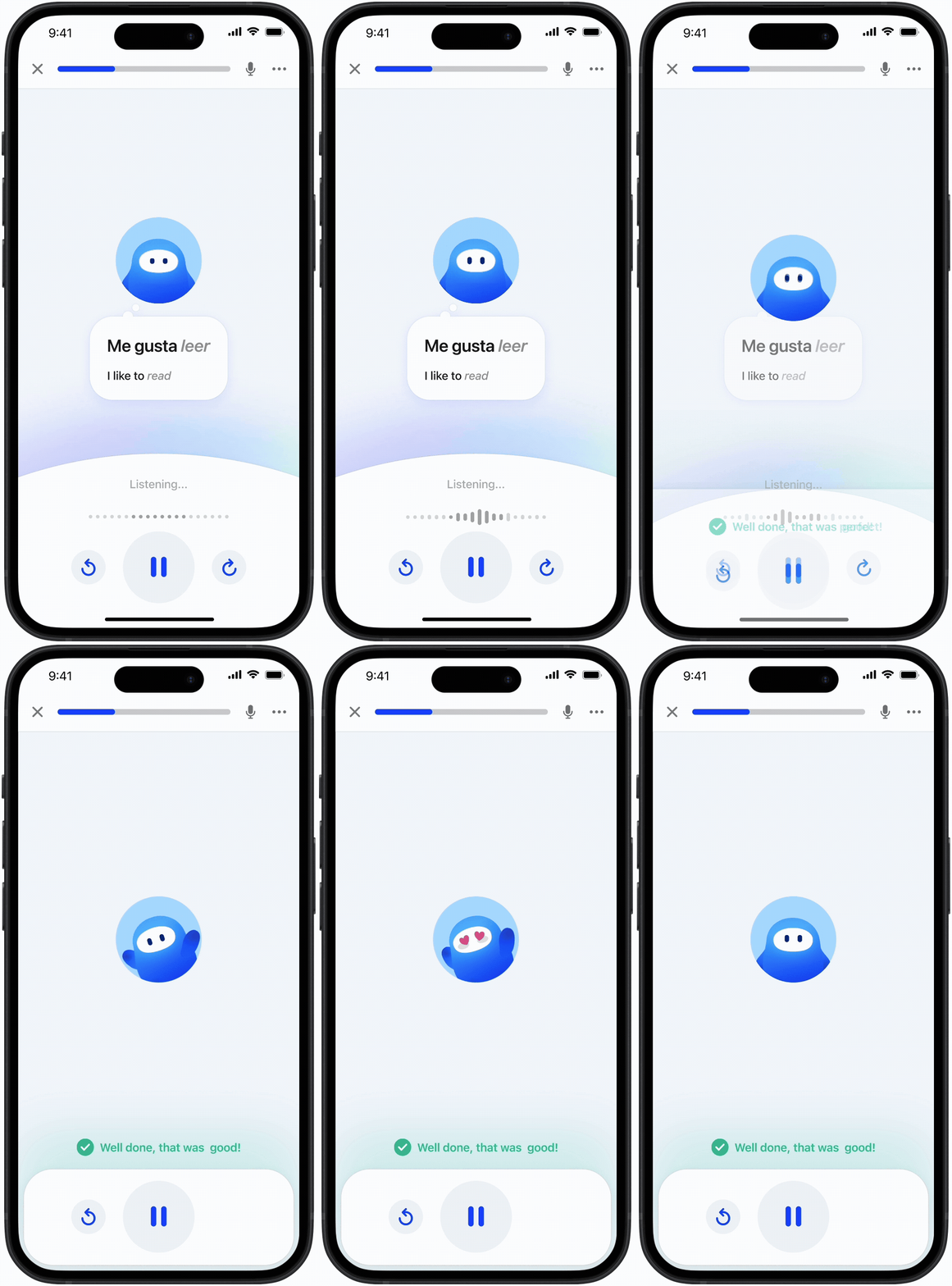
Introduced personalized feedback loops that adapted lessons to each learner’s mistakes
The AI tutor analyzes each response to surface specific pronunciation and grammar issues, then adjusts practice in real time so learners can strengthen weak areas before progressing.

Incorrect response: Tutor giving feedback
Correct response: Tutor celebrating
Enabled hands-free lessons so learners could practice anywhere
We unlocked a completely hands-free mode, letting learners complete lessons while driving or doing chores. This addressed a frequent user request to expand when and where learning could happen, supported by live activity notifications that kept sessions accessible without needing to touch the screen.


The Impact
"AI lessons" matched the old video engagement at ~85% completion rate, and unlocked 3 new language launches in just 3 months, something that previously took over a year.
Matching video engagement confirmed we were on the right path. Early UX feedback revealed that learners, especially at higher levels, felt more engaged when they could talk, ask questions, and practice freely instead of watching videos.
Key Takeaway
Finding creativity inside evolving constraints
Working with emerging AI meant we were often learning constraints in real time. I would come to the group with my best proposal, then collaborate backward with engineering to shape what was feasible. Going deeper on how the tech worked helped me design more intentionally, and those conversations helped everyone not just understand limits, but discover possibilities and align on tradeoffs together.